
This guide explains how the process works, what data you need, and how to obtain statements from your Lightyear account for:
- 📄 Form 720 (declaration of assets and rights held abroad)
- 📊 Profit & Loss report for Income Tax (capital gains and losses report)
Both reports are generated from statements that do not contain personal data (such as ID number or address), so the process is anonymous: Lightyear does not share personal information with Autodeclaro, and the platform only uses the technical statements you provide.
What do you need to know before getting started?
Form 720
Form 720 is an informational declaration required in Spain for tax residents who hold assets and rights located abroad with a total value exceeding €50,000. This includes securities and funds held on platforms such as Lightyear if they exceed that threshold. Autodeclaro automates the completion of Form 720 using position statements from your broker or platform.
How to obtain the statements from Lightyear
For Form 720
- Log in to your Lightyear account and go to Transactions → Download report and Account statement.
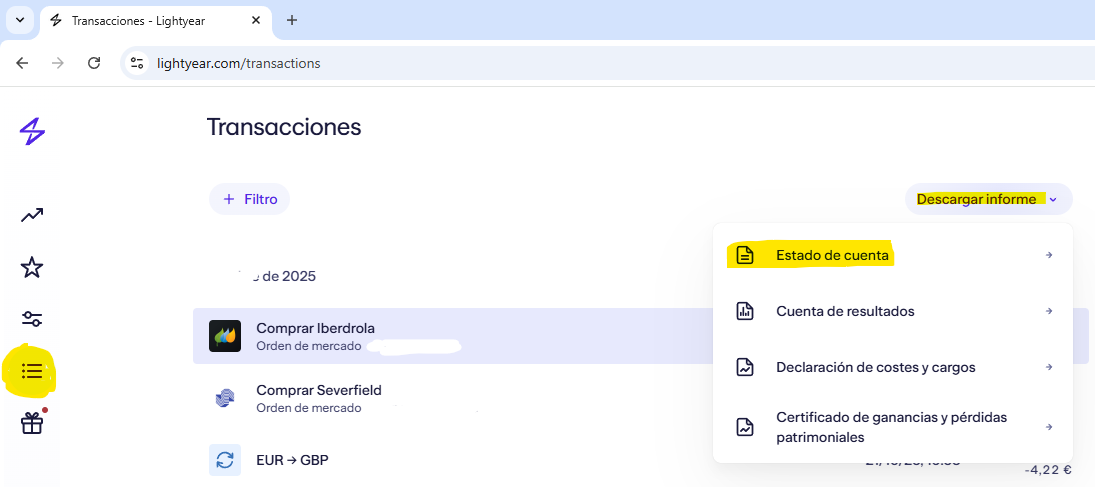
2.Download the position PDF as of December 31 of the year you want to declare.
- This statement must include your entire investment portfolio at the end of the declared fiscal year. Portfolio Breakdown section.
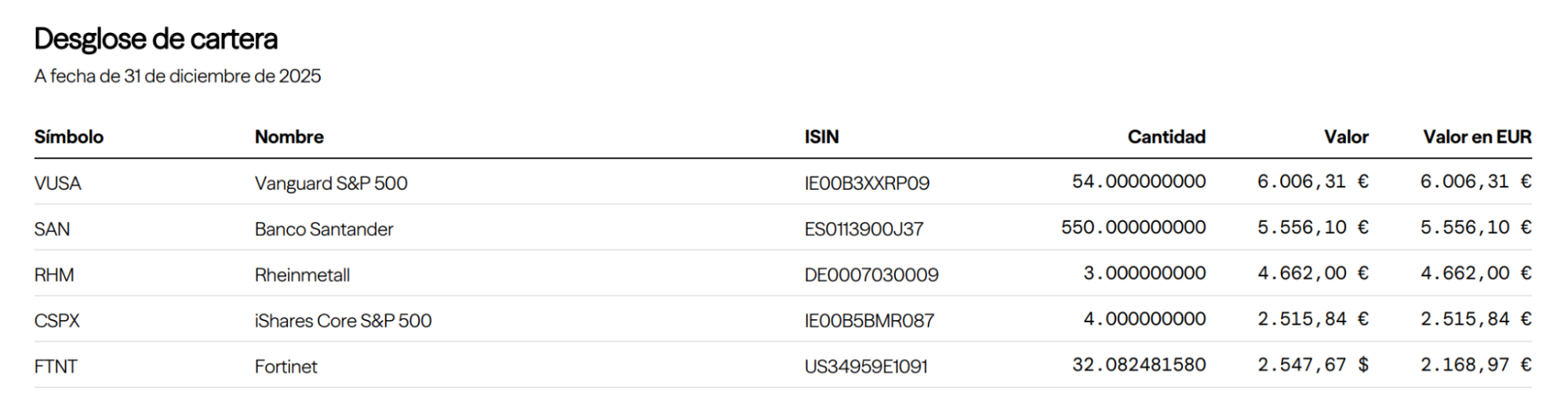
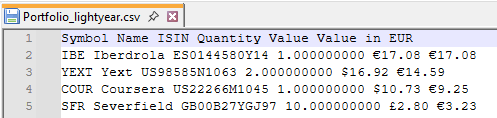
3.Paste the content into Notepad or Notepad++. If copied directly from Adobe Acrobat, it will appear in the following format:
Note: If you have previously filed Form 720, remember to also download the statement from the last year in which you filed Form 720, as explained here.
With these steps, you will be ready for the automatic completion of Form 720.
How to generate the Profit & Loss report for Income Tax (Auto-Renta)
The Profit & Loss (P&L) report is used in the Spanish personal income tax return (IRPF) to reflect the result of your investment operations (gains, losses, and dividends). Autodeclaro can generate this report automatically based on the transactions carried out on Lightyear (and other brokers).
Steps to obtain the statements
- Log in to your Lightyear account and go to Transactions → Download report and Account statement. Download the CSV.
- It is important to include all transactions since the account was opened.
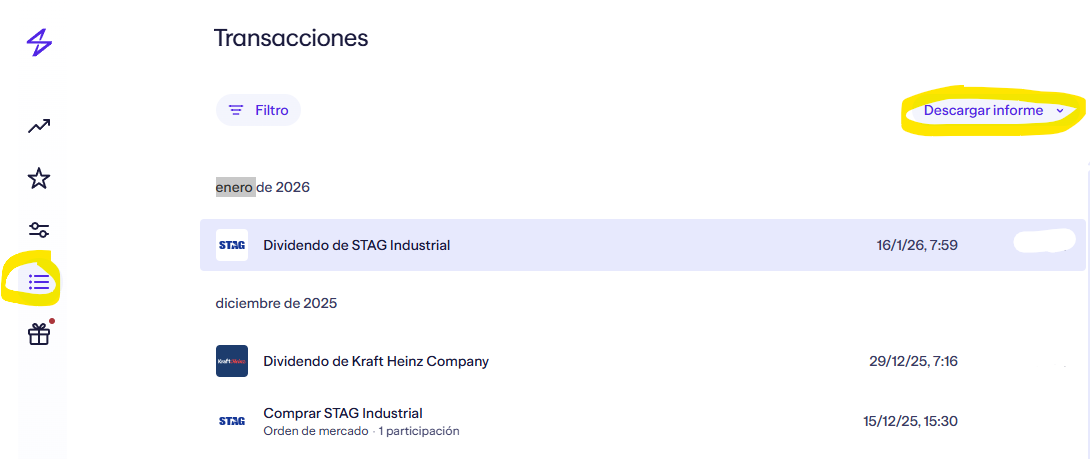
2.Select the “Start date” as the date your Lightyear account was opened (since the P&L report is based on the full transaction history), and for the end date you can enter March 1, 2026, to account for the two months required to verify the two-month rule.
- Click Export CSV.
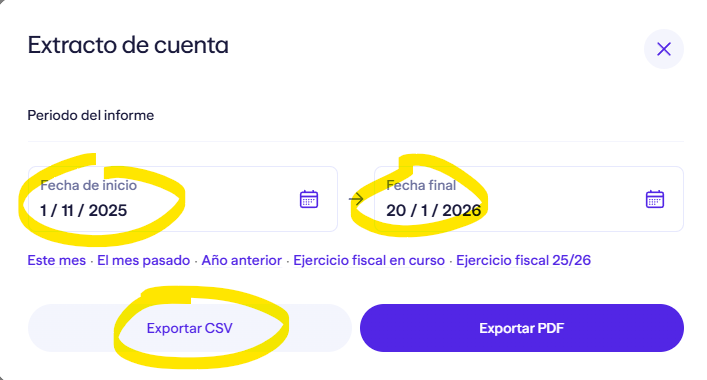
With these steps, you will be ready for the automatic completion of your income tax return.
Technical aspects handled by Autodeclaro
Autodeclaro automatically fills in fields that may be missing from the statements (for example, ISIN codes). For Form 720, it can also calculate the average cash balance of the last quarter on platforms that allow it and generate an Excel summary for prior review. In the case of the P&L report, the calculation rules applied (such as the FIFO method and dividend treatment) are based on standard technical criteria for income tax filing.
How to proceed after obtaining the statements
Once you have your statement files ready:
- Log in to the Autodeclaro platform and select the desired service (Form 720 or P&L Report for Income Tax). Upload the file with the statements. Complete the purchase steps according to the plan you have chosen (for example, Premium or Unlimited). Enter the code you received by email to get a 20% discount with Lightyear. You will receive your tax report (Form 720 or P&L report) in a format ready to be used with the Spanish tax authority or for your income tax return.
(Remember that Autodeclaro automates the calculation and generation of the reports, but the final responsibility for filing with the tax authorities is yours, and you should verify the data before submitting.)